
When MDM managed Windows 10 devices with Intune – I’am missing a overview of who my devices is compliant with my Software Update strategy.
Here is the solutions – Using MSOMS as a extra management tool, now I can report my software update compliant level.
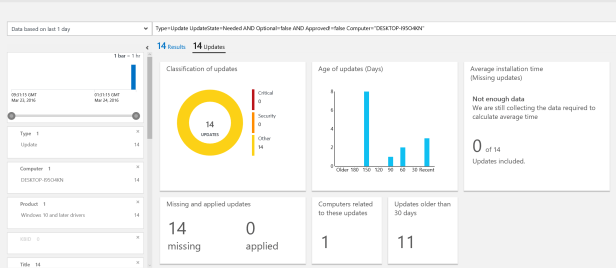
How do we accomplice this with minimal work – I already have my Windows 10 devices managed by Intune with the MDM joined feature.
First download the MSOMS agent.

Because Intune MDM can only deploy MSI – I extract the MMASetup-AMD64.exe by running MMASetup-AMD64.exe /C

Enter the place to extract the MSOMS agent

Now the agent is extracted as a MSI file MOMAgent.msi ready to upload to Intune
Login to the Intune Console
Go to APPS

Click “Add App”

Click Next
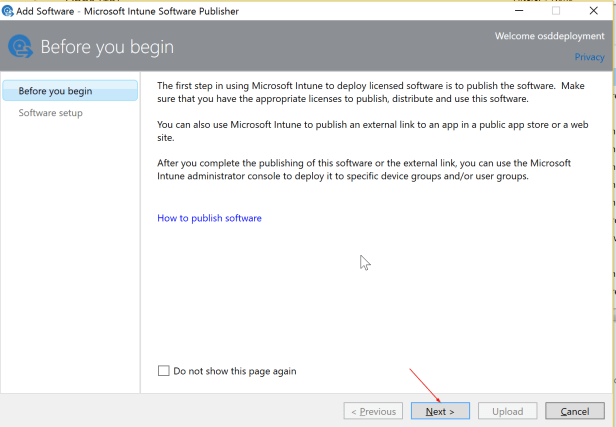
Select “Windows Installer through MDM (*msi)
Click Browse
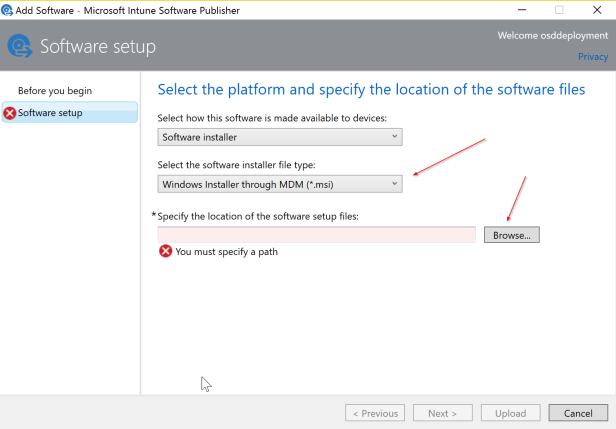
Browse for the MOMAgent.msi

Enter Publisher

Click Next

Enter “Command line arguments”
ADD_OPINSIGHTS_WORKSPACE=1 OPINSIGHTS_WORKSPACE_ID=<your workspace id> OPINSIGHTS_WORKSPACE_KEY=<your workspace key> AcceptEndUserLicenseAgreement=1
Where OPINSIGHTS_WORKSPACE_ID and OPINSIGHTS_WORKSPACE_KEY is from the MSOMS workspace.
Click Next

Click close
Click Close
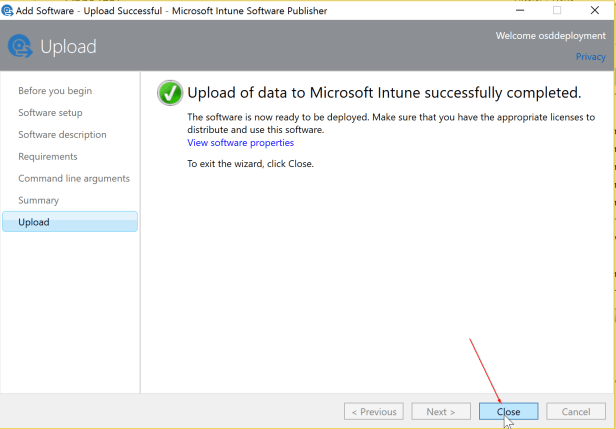
Now the application can be deployed to all Windows 10 MDM joined devices

And the Microsoft Monitoring Agent is shown in Programs and Features


 Cloud First